Posted By Admin. Apr 14 2026
Messaging apps are becoming very popular these days for sending messages, images, and videos every minute. WhatsApp, in particular, keeps users engaged with features like polls, animated stickers, and GIFs, making it both useful and expressive.
These days, another interesting thing is rapidly becoming popular on WhatsApp. It's sending invisible messages to others. Sounds surprising?
It's true that WhatsApp does not allow you to just add a blank using the spacebar and send it. But sending invisible characters using advanced but very easy tricks is possible now. It can be an entertaining and joyful way to confuse your friends and family members by sending them invisible messages. But how? We will learn in this blog. Continue reading, and you can surprise your close ones.
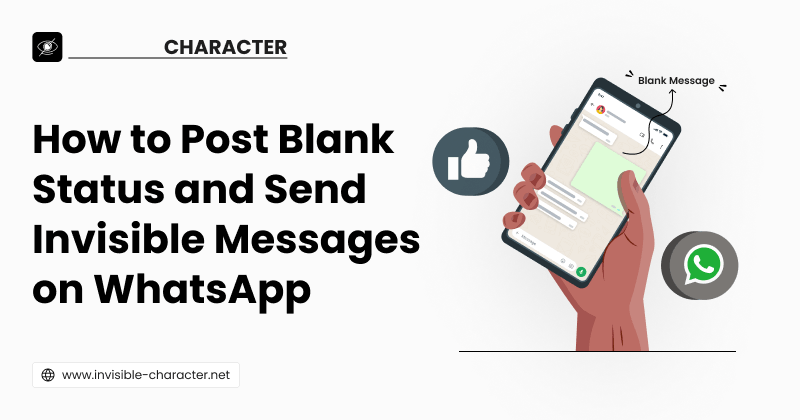
Invisible characters cannot be seen by human eyes, as they carry no visible glyph. When you send them on WhatsApp, the chat bubble appears blank. Even though some character is technically there. Many people call it “blank text” or “empty message” because it creates the effect of sending nothing at all.
It works because WhatsApp recognizes the Unicode as valid text, even if your eyes can’t see it. That’s why the message goes through like any other.
People send invisible messages on WhatsApp mostly for fun and to add a little twist to normal chatting. Some enjoy pranking friends by making them think a message was sent with nothing inside. Others use it in group chats to create mystery or make people curious about what they tried to say.
Similarly, blank status updates create a sense of curiosity. People think it's a glitch or there is some issue with their app. Sending blank text or statuses breaks the monotony of regular conversations. It provides a creative touch that feels different from the usual words and emojis.
Now, we will discuss the step-by-step process for sending invisible characters in WhatsApp messages.
Go to the invisible character tool and copy the invisible text to your clipboard using any of the methods.

Method 1 provides you with one-click copy buttons. Press the button to copy small, medium, or large empty spaces.

If you want to generate a customized number of spaces, you can use method 2. Type in a number in the box or choose one using the “+" and "-" buttons. Then click on the “Copy” button. The invisible characters will be saved to your clipboard.

Go to your WhatsApp and open the chat you want to send an invisible character to. Then paste the character from the clipboard here. You can see the characters here if you click the “Select all” button. Here is how it looks:

There is no visible glyph. But the selected characters are highlighted just like real letters.
When there is no text written in the text box, the app does not show you the send button. Instead, there is a record button to record the voice message. It also behaves the same when you click on the spacebar to add a space.

But when you paste the invisible text into the box, the app will show you the send button. Click on it, and the message will be sent to the chat.

Posting a blank status on WhatsApp is also very easy. Just open the text box by clicking on the status writing button and paste the copied invisible characters there. After that, the “Send” button will show up. Click on it, and a blank status will be updated on your WhatsApp.

Always copy the invisible characters from a reliable tool.
Test the characters before actually using them on WhatsApp.
Sending too many blank messages or statuses in a row can look spammy. So do not overuse them.
Some devices show it differently. What looks blank on your phone may show a small box or symbol on the other person's screen, depending on their device.
Using blank messages and statuses as a prank between friends is fine. But if you try to mislead or manipulate someone, it's unethical.
Communication between friends and family members is a pleasure. You can make it more interesting and surprising by sending fancy texts or invisible characters to them on WhatsApp. They can make chats more fun and creative. You can use them to create a sense of mystery or design unique spacing in your bio or status.
So, if you want to add a playful twist to your chats, try sending an invisible message today and see the reactions roll in. But remember, sending too many invisible characters can annoy your friends and family. So just use them occasionally to keep it playful, not to disturb others.
Invisible-Character Used to Create Empty Text having Multiple Unicode Blank Spaces.